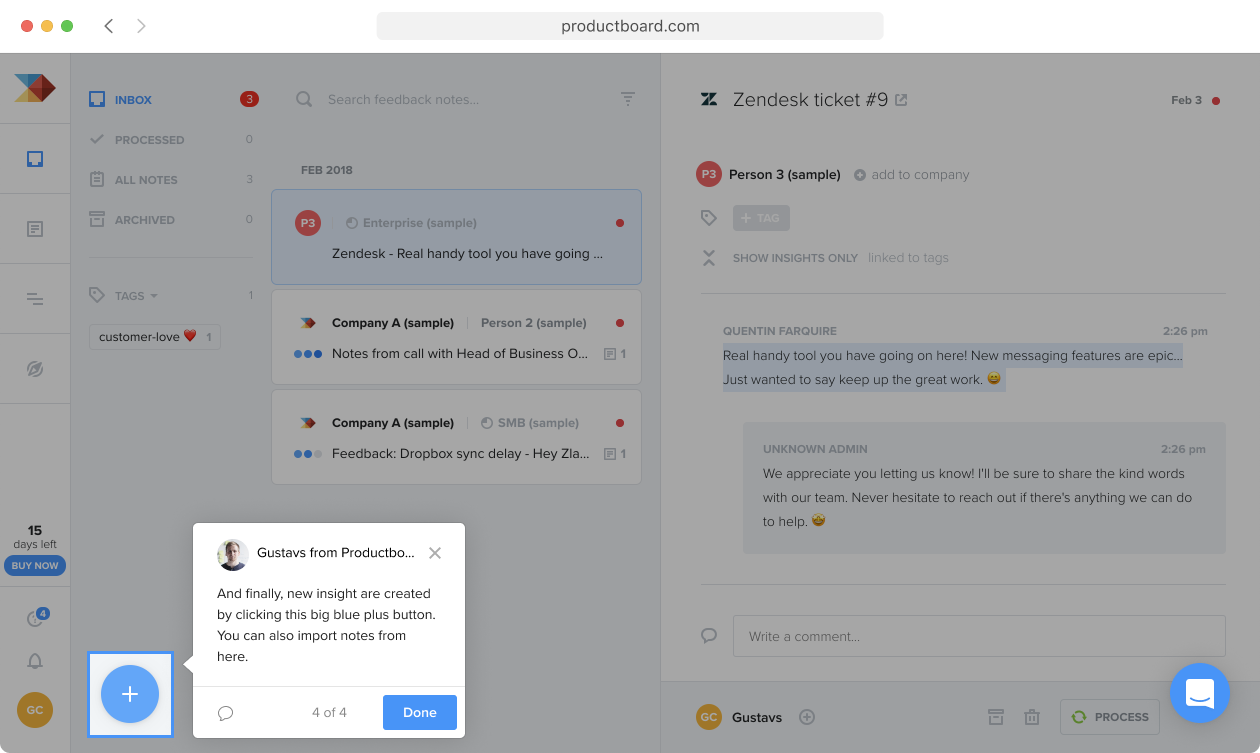
Product Tours, from system to details
Intercom 2019
At Intercom, I had the rare chance to design a brand-new product: Product Tours. It spanned an unusually wide range of problems, from some of the toughest systems design questions to some of the most polished details I’ve ever worked on.
Overview of Product Tours
Intercom gives businesses many ways to message their customers — chat messages, posts, emails. A Product Tour is a new message type that guides customers through a series of steps inside their own app.
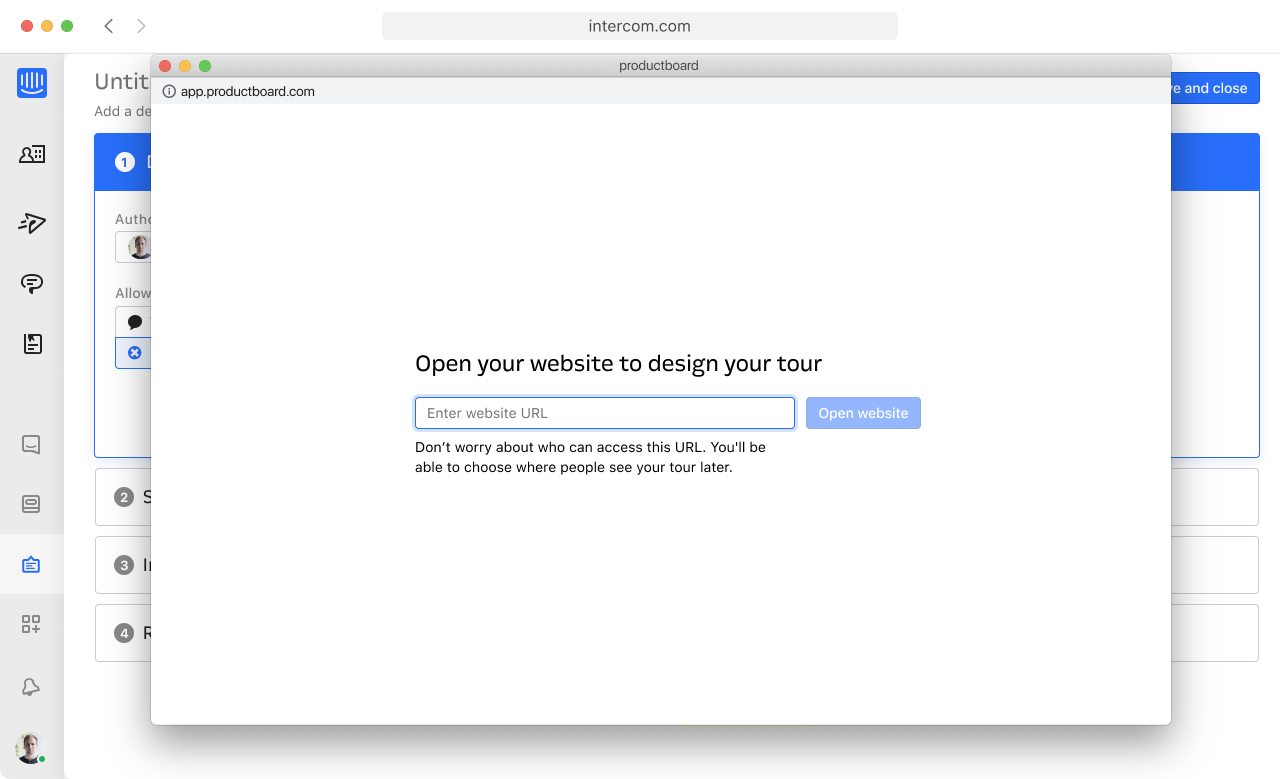
The format had two sides to design: the end-user experience and the teammate experience — the interface businesses use to build their tours. The end-user experience always gets our attention, but the teammate side is usually the harder problem. Here, teammates had to navigate their own app and build a tour by pointing at elements in their product — a completely new interaction pattern for Intercom. So we designed a new kind of editor: the tour builder.
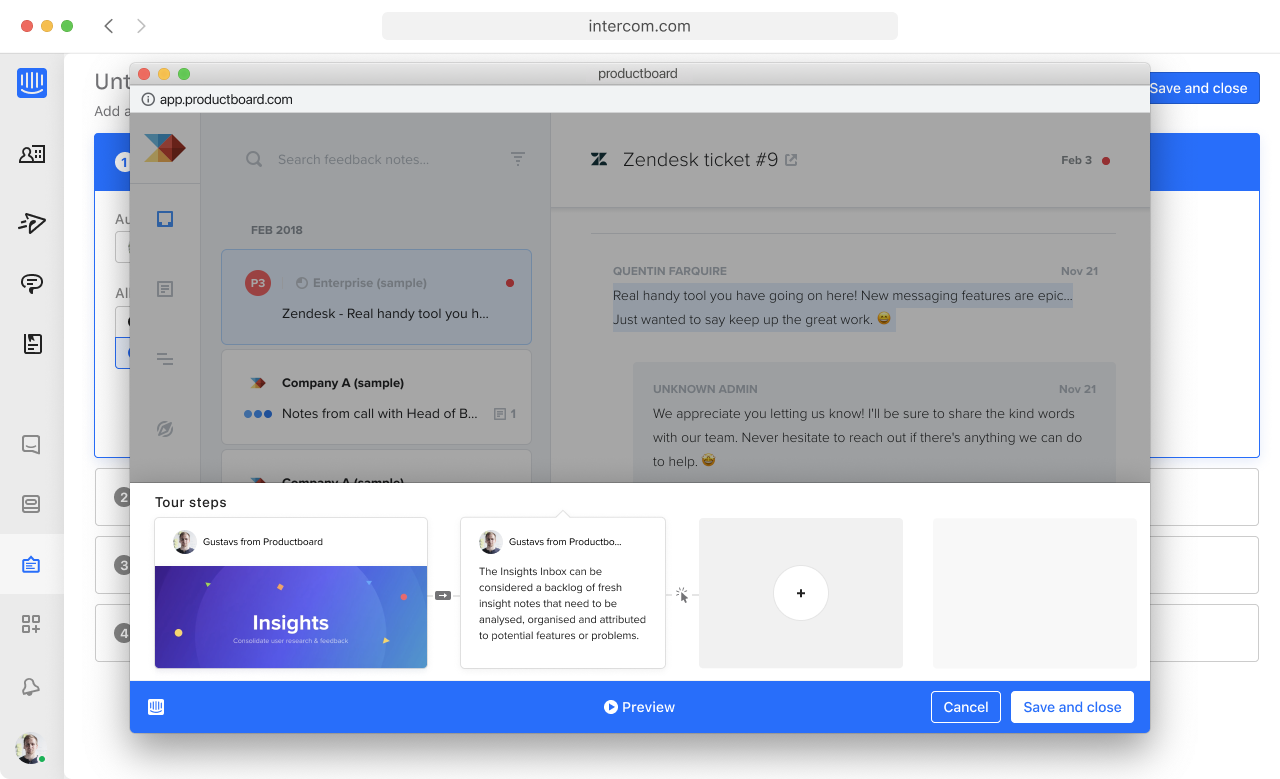
How many URLs does it take to build a tour?
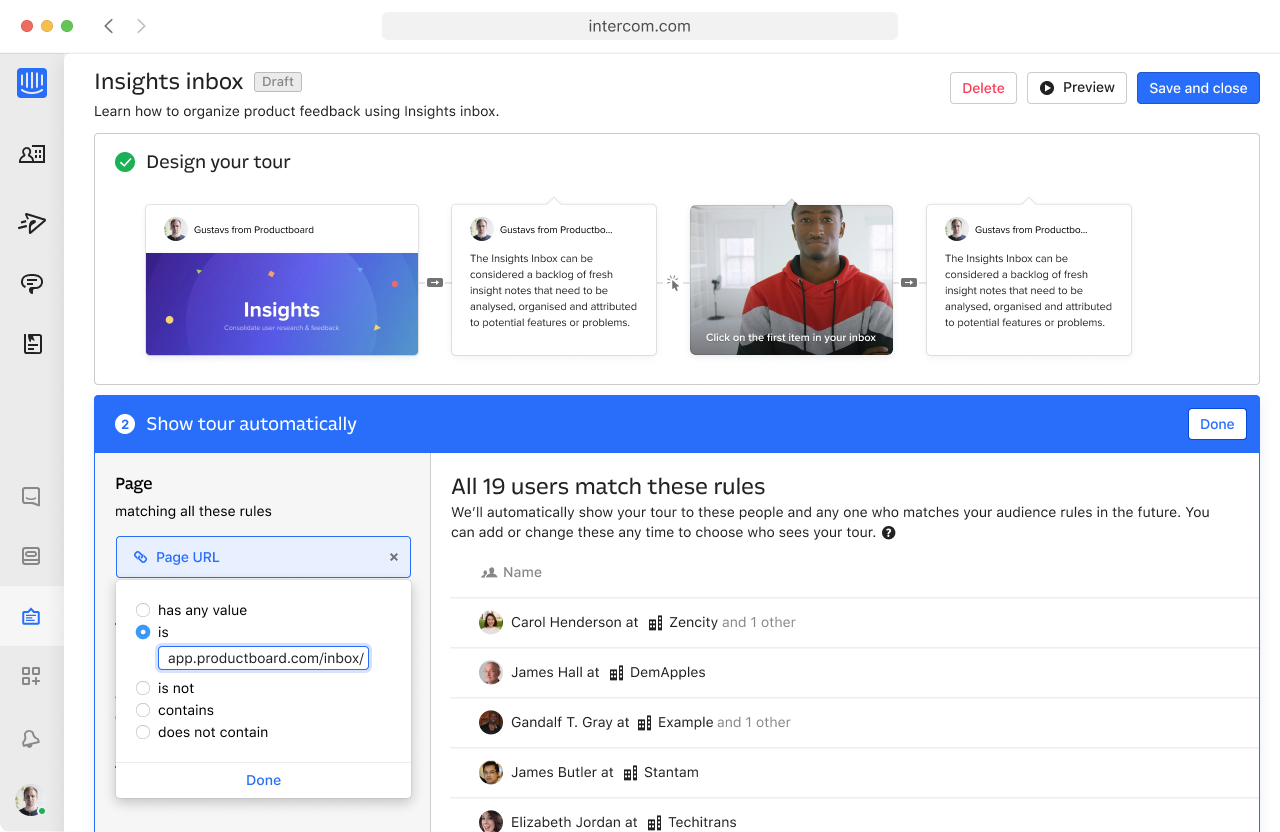
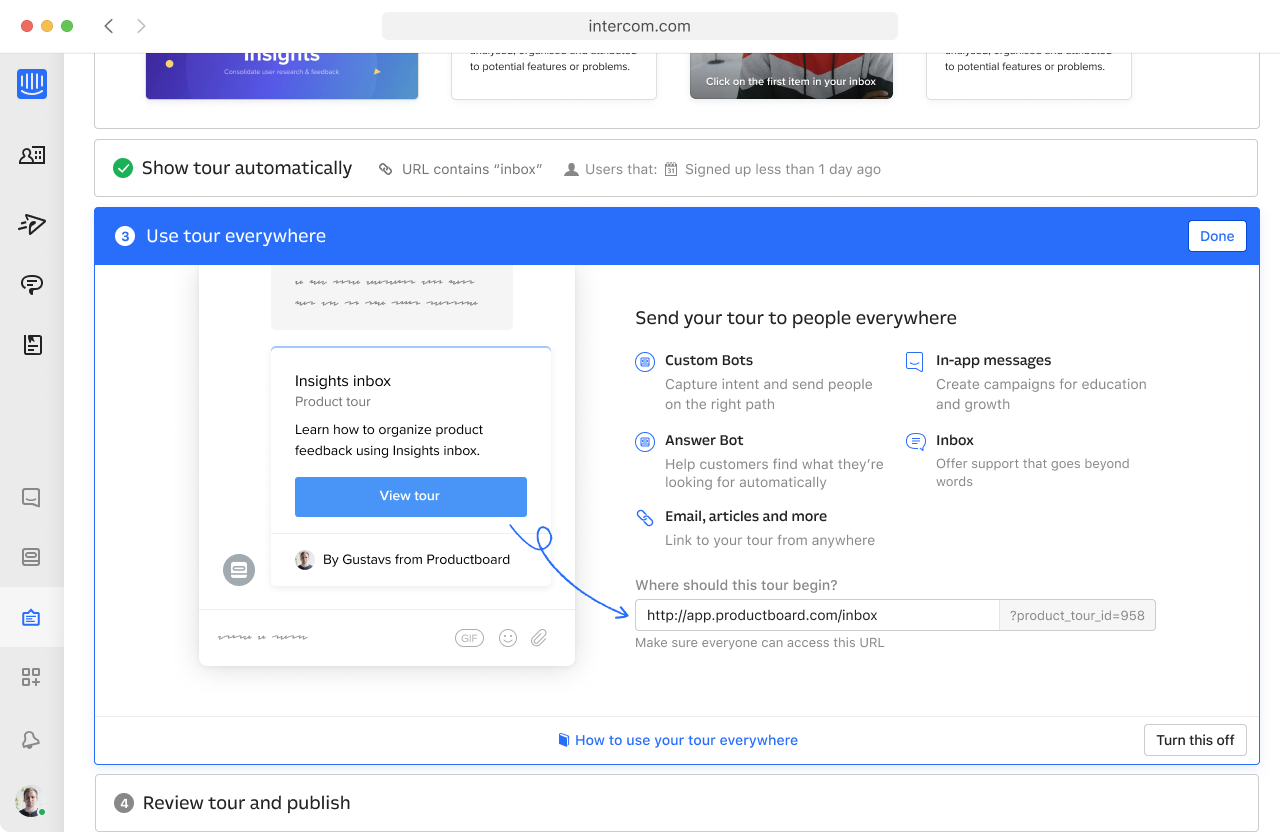
Making the builder work with the rest of the Intercom system was hard. We ended up with three different concepts of “URL” — two from the new builder, and one inherited from the generic Intercom editors.
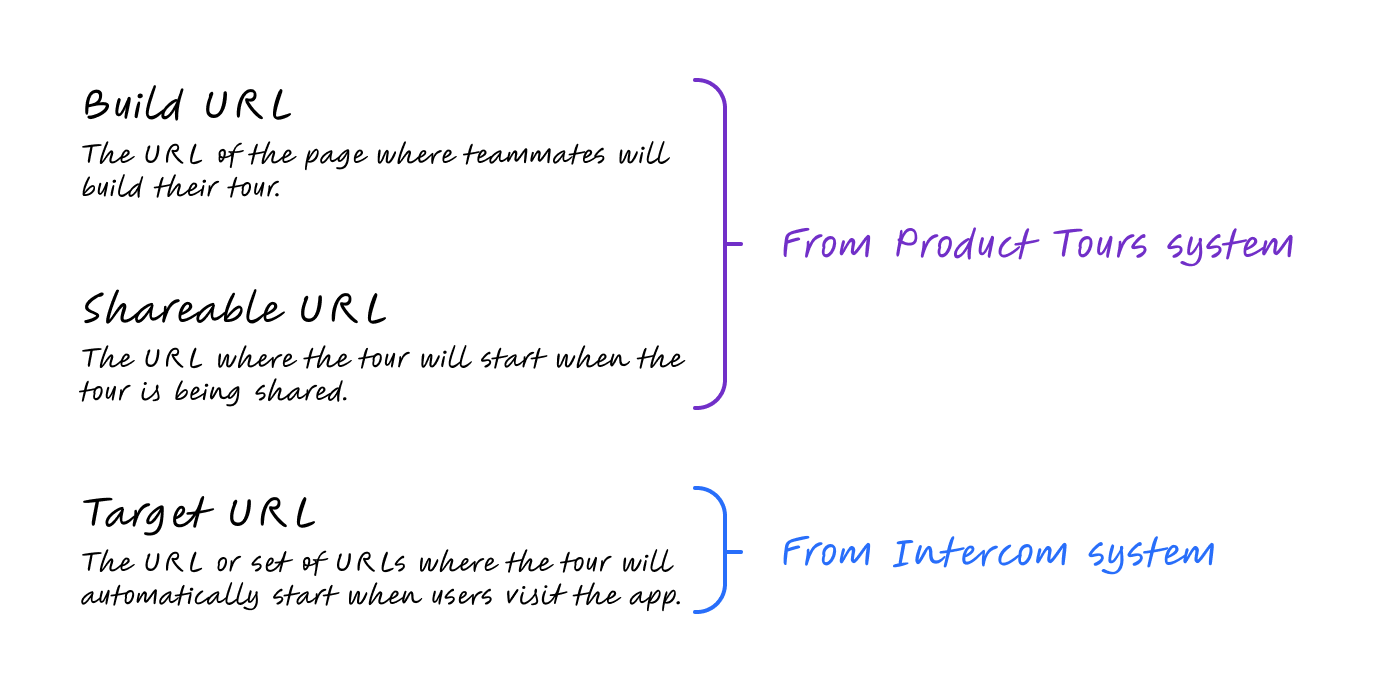
They were nearly identical, yet subtly different: different permissions, different formatting rules. It was deeply confusing. It took weeks of system diagrams, user-flow exploration, and copy iterations to reach something understandable:
It’s always better on video
At Intercom we love sneaking unexpected features into a big launch — like the time we added GIFs to the messenger because one person believed in the idea. This one came out of a team brainstorm where we were hunting for fun features to cheekily add to the scope: letting teammates guide customers with video steps instead of text. It fit Intercom’s mission of making internet business personal — another chance to see the real people behind a business — and it looked great in our launch marketing.
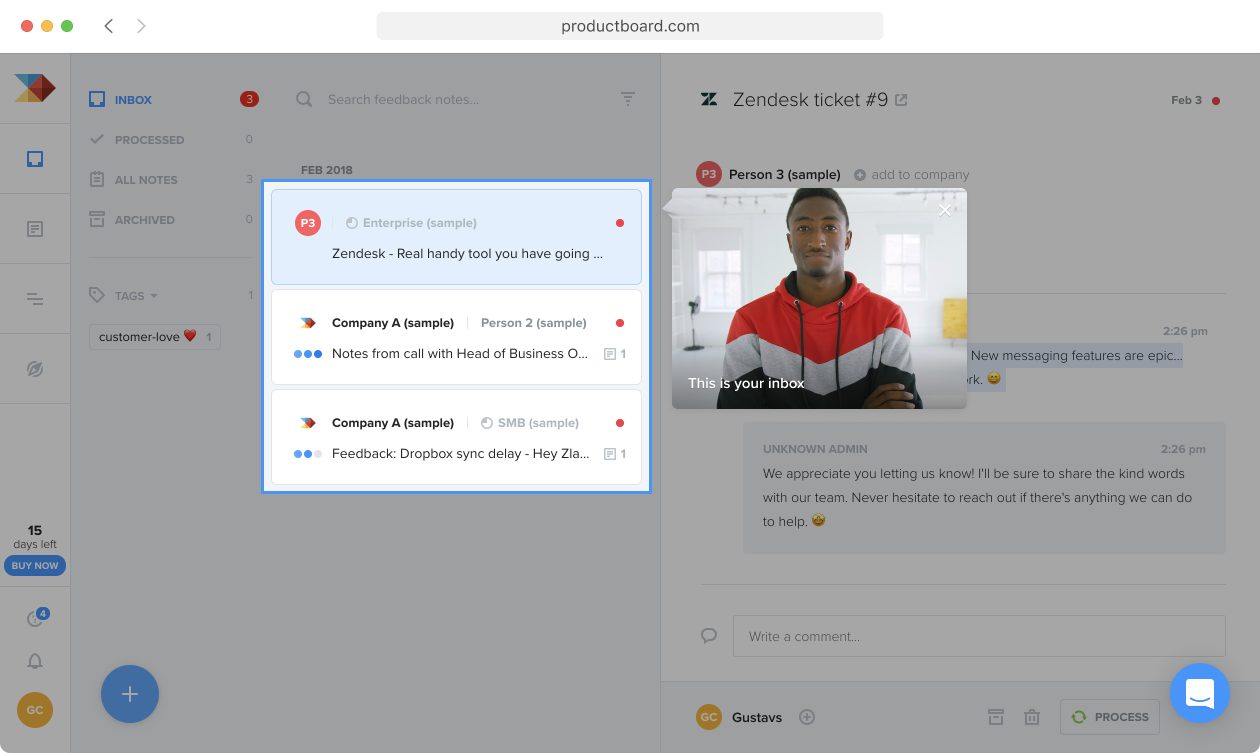
I had a lot of fun on the polish here. Until then, teammates could add only two step types — a pointer or a post — through this UI:
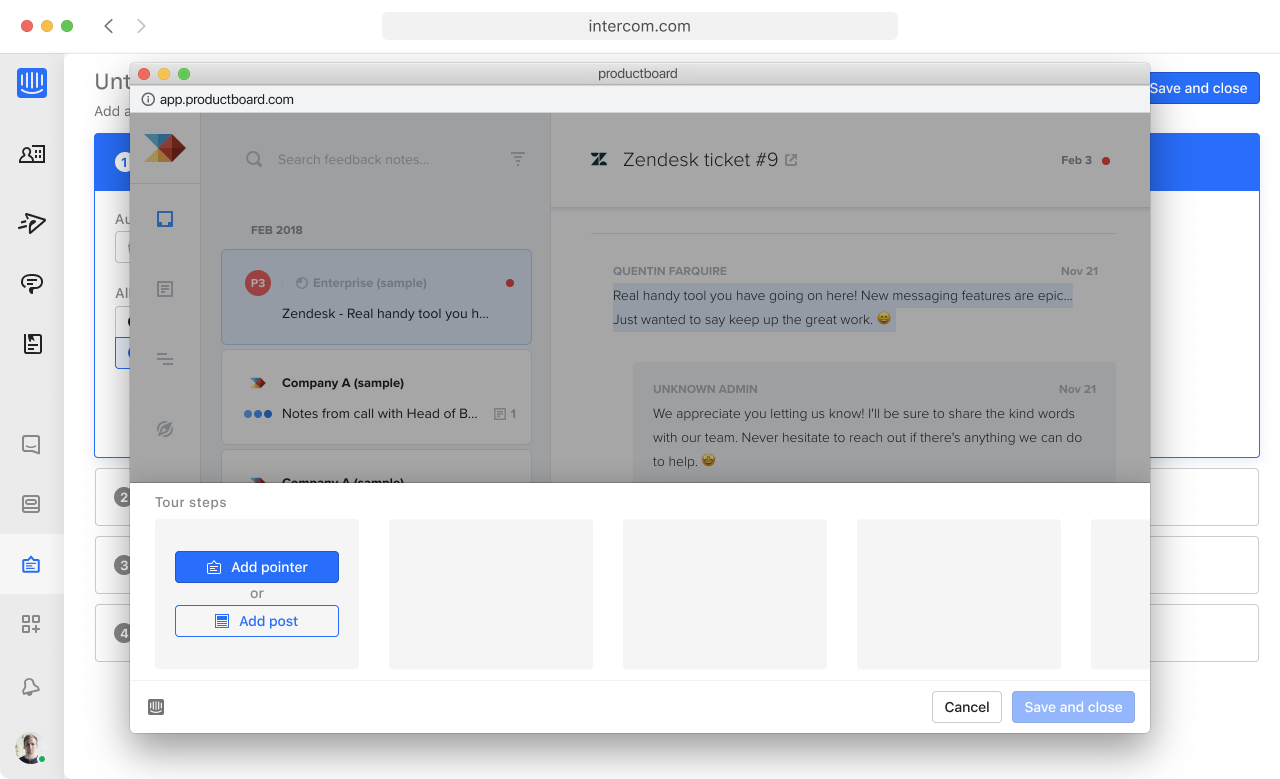
Video tours added a third type, so we took the chance to redesign a piece of UI that had always felt a little dull. I built a quick Framer prototype to show the new interaction and the video upload flow:
Fast follows
My favourite part of this project was the team. Adding video tours late could have caused friction — we were already under huge pressure to launch on time — but instead of pushing back, everyone got motivated to build something great. That spirit carried past launch: for weeks afterwards we worked through descoped items, bug fixes, and feedback-driven iterations.
One example captures it well: Click to progress.
When building a tour, teammates decide how users move to the next step. Originally there were two options: show a “Next” button, or have users click the element the step points at.
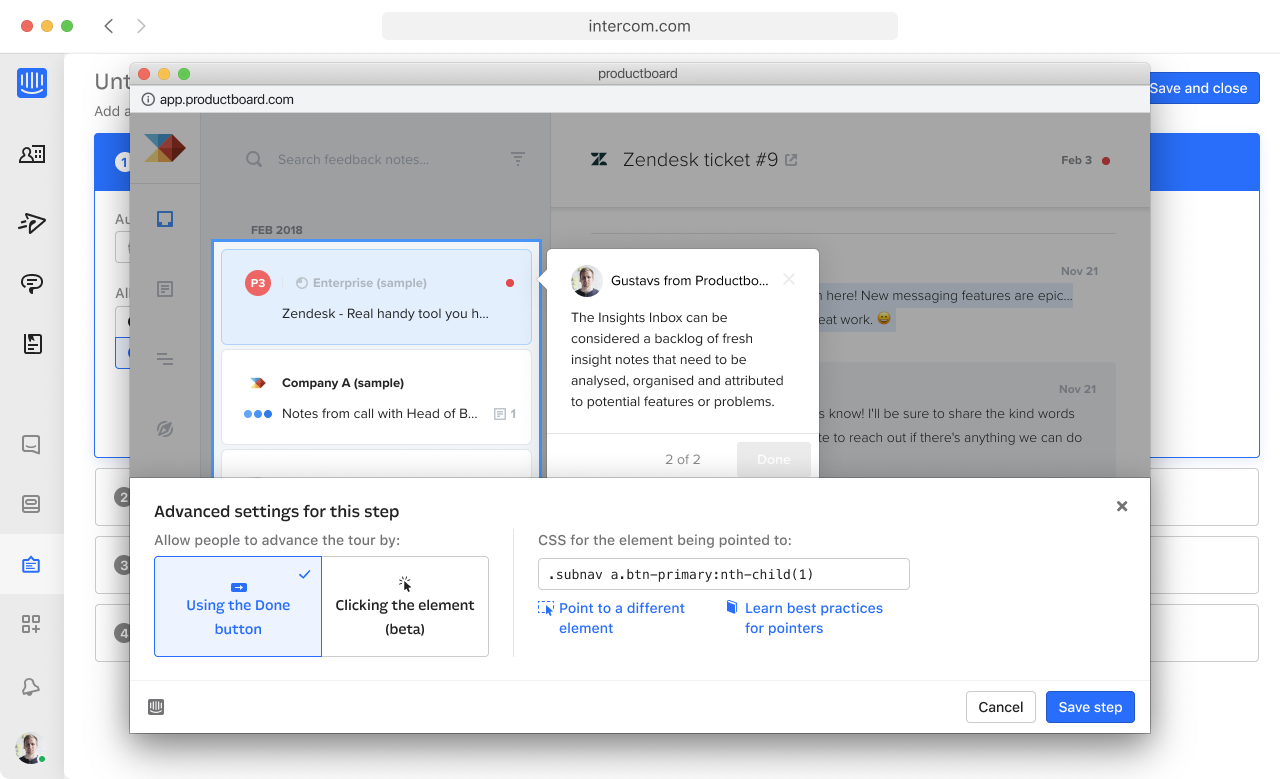
This option was hidden and hard to understand — in user testing, none of the 9 participants used it successfully. It wasn’t the most critical part of Product Tours, but we knew we had to fix it, and we did, just days after launch.
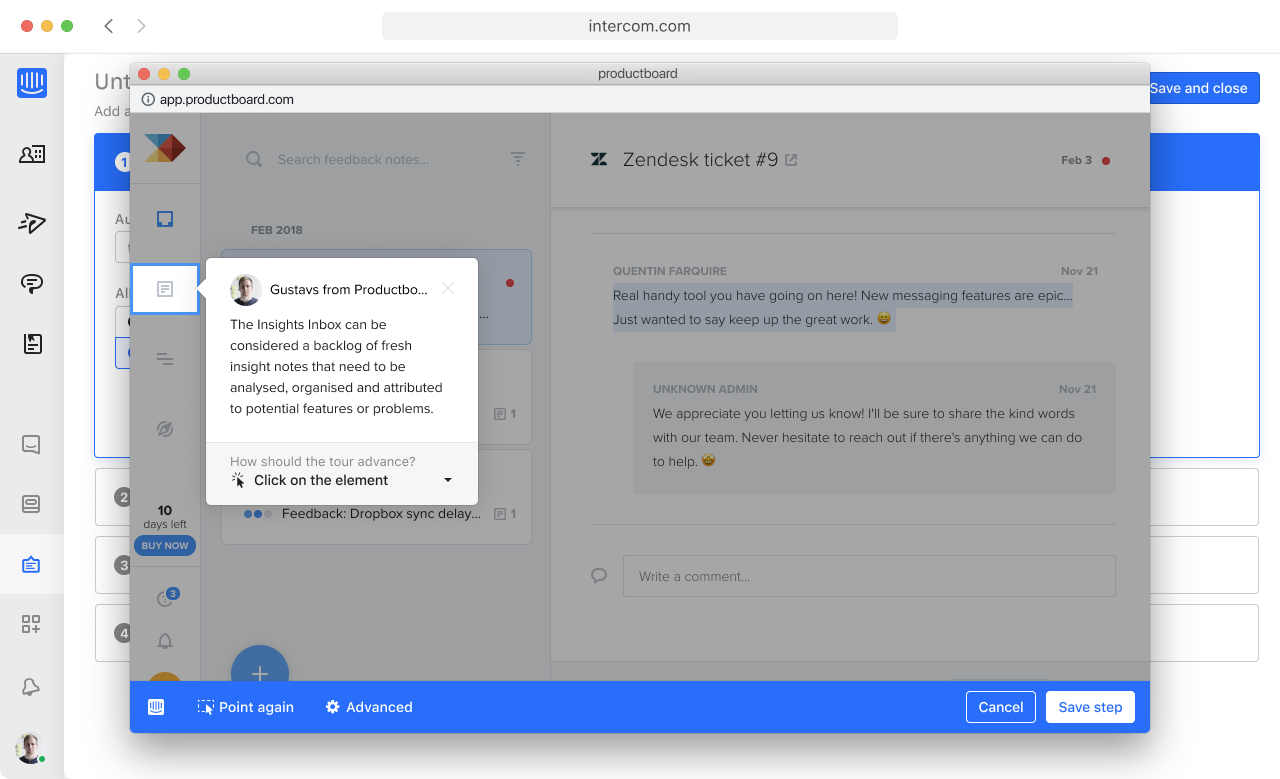
We moved the option next to the pointer being configured to make it more discoverable, and added rules to pick a sensible default based on the target — pointing at a button or link defaults to “Click on the element.” We also introduced a new way to progress: filling the field, the default when pointing at a text field or text area. In the next round of testing, every participant configured their tour successfully.
Product Tours launched on time and became Intercom’s most successful launch to date. It’s still one of the projects I’ve most enjoyed working on — largely thanks to the incredible team.